We’re bringing the Nansen AI agent to desktop.
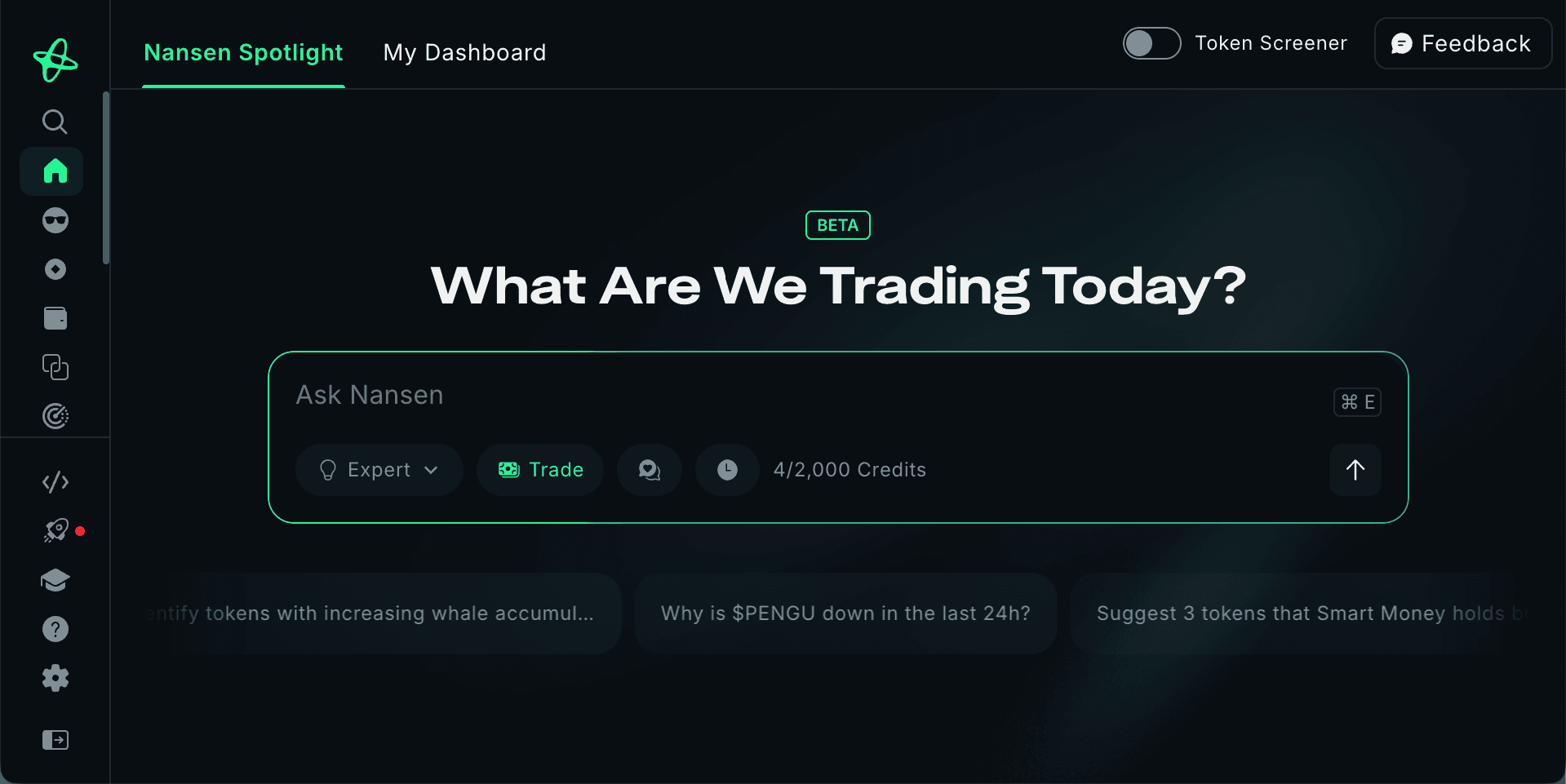
After launching the agentic experience on mobile, Nansen AI is now available on web, combining conversational research and execution with the full power of Nansen.
This marks a major step forward in how users interact with onchain data: not by clicking through dashboards alone, but by asking questions, exploring context, and preparing actions through an agentic experience.
From Mobile to Desktop: One Agent, Everywhere
When we introduced Nansen AI on mobile, the goal was simple: Bring the future of trading, now.
With Nansen AI on web, that same agentic experience now lives on desktop, conversation history synced across devices. Start an analysis on web, continue it on mobile, and pick up exactly where you left off.
Same agent. Same context. Anywhere you work.
What can you expect?
Desktop screen space unlocks a deeper way to work with onchain data.
On web, Nansen AI operates alongside Nansen’s core analytics, including Token Screener, Smart Money, charts, and more. The agent reasons with this data in context, using the full workspace to deliver clearer insights without breaking your flow.
Instead of jumping between tools, users can now explore, analyze, and prepare actions in one unified environment.
With this launch, users can now expect:
Agentic Trading on Web: Prepare swaps and portfolio rebalancing through natural language, with users always providing final confirmation
Fast Mode & Expert Mode: Switch between quick answers and deeper analysis
Smart Alerts via Prompts: Set up and monitor onchain activity conversationally
Multi-Chain Coverage: All supported networks from mobile, now on web
Synced Chat History: Seamlessly move between desktop and mobile without losing context
Nansen AI on web also supports a seamless research-to-execution workflow, keeping insights and actions within the same workspace.
Using the Agent
Nansen AI Agent is designed to be available wherever you are in on Nansen.
On web, you can trigger the agent at any time by pressing CMD + E (Apple) or Windows + E (Windows), no matter which page or tool you’re on. This opens the agent instantly, allowing you to ask questions, explore onchain data or prepare actions without breaking your workflow.
You can use the agent to:
Ask questions about tokens, wallets or onchain activity
Explore trends and Smart Money behavior in context
Set up Smart Alerts conversationally
Prepare swaps or portfolio rebalancing through conversation.
Using the Nansen AI agent, including making prompts or preparing trades, requires Agent AI credits. Pro users receive 2,000 credits, while Free users get 20. AI credits reset monthly
A New Way to Trade
Nansen AI on web brings together conversational intelligence, professional-grade analytics, and seamless execution, all in one place.
One agent.
Web and mobile.
Fully synced.
👉 Sign up for a Nansen account today and experience A New Way to Trade: https://nsn.ai/signup-nansen